Building the Next Gen Printing Technology Interface.
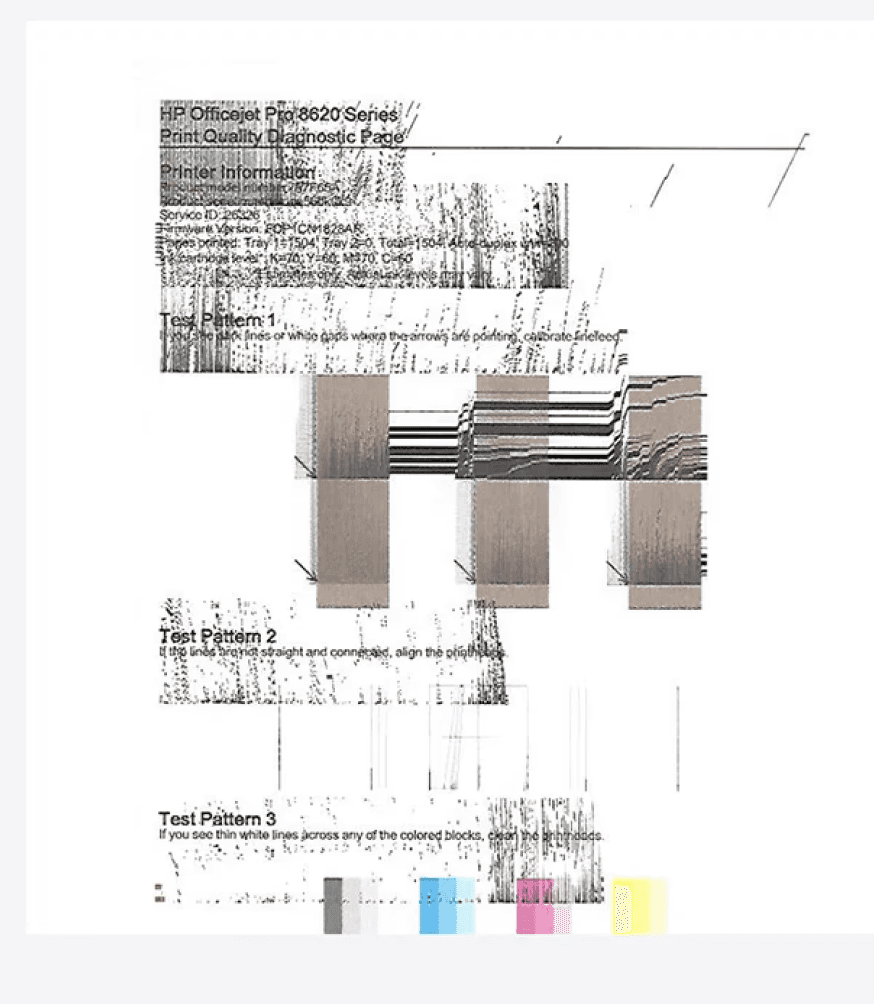
Poor print quality: Color issues and misalignment may require reprinting.
Paper jams: Users may struggle to find and clear the jam quickly.
Users want a solution that enables them to quickly
identify and resolve printer issues such as alignment
problems or low ink levels before reprinting, ensuring
high-quality prints and a seamless printing experience.
Legal Team
Reviews designs for legal risks, privacy
concerns, and regulatory compliance (like
GDPR, copyright, etc.),
Accessibility Team
Audits and advises on accessibility standards (like WCAG) to make products usable for people with disabilities.
Research & marketing
Conducts user research, usability testing, and
data analysis to drive user-centered decisions.
As an UI/UX Designer, I plan and strategize user flows, define what comes where, and set release requirements to all mentioned counterparts and teams. I collaborate with the following teams to ensure a seamless and complete delivery to developers, packaged after discussions with design leadership:
Counter Parts
Patterns and centralized design systems
Graphics and Animations Team
VX Team
Developers
LF team is handling very big printers working
on same file to define flows and interactions.
Builds and governs reusable design patterns
and systems that streamline development and
ensure brand consistency.
Designs illustrations, icons, and motion
elements to improve clarity, emotion, and
engagement.
Focuses on visual consistency, aesthetics,
and brand expression across all user
interfaces.
Collaborate closely writh designers to
implement Ul/UX, ensuring functionality,
responsiveness, and performance.
I bridge cross-functional teams and
developers, defining user journeys and flows
aligned with research objectives. I ensure
designs, compliance, visuals, and accessibility
are fully strategized, reviewed, and approved
with leadership before final Package handoff
for development.


The use cases that will be
addressed in this case study.
Issues that user might need to resolved
The use cases that will be
addressed in this case study.
Issues that user might need to resolved

The Avg usage of Enterprise
printers are more then 10000
pages a day statistics from
Microsoft and Google.
We design for a wide spectrum of users from students printing assignments at the home to architects printing detailed blueprints.
Enterprise users face major challenges due to high print volumes making them a top priority. With HP leading and generating the most revenue in this segment, the focus is both strategic and impactful.
Home Printers (SOHO)

Home Printers (SOHO)
Ravi, a college student Moderate tech servy user prints personal documents, Assignments and study materials at home
Hassle-free
Low-cost
Seamless
Ravi, a college student Moderate tech servy user prints personal documents, Assignments and study materials at home
Hassle-free
Low-cost
Seamless
Small business (SMB)
Kiran, a boutique owner, prints
invoices and promotional flyers
daily.
Reliable
Easy to troubleshot
Seamless


Enterprise (GSB)
Anita, an IT admin at a large
corporation, manages office-wide print infrastructure.
Security
Scalability
Efficient Print
Integrations
Speed
Access Control
Efficient Print

Large Format Printers
Randy, an architect, prints high- resolution blueprints and design posters.
Security
Easy to troubleshot
Scalability
Speed
Access Control
Efficient Print
Tools
Menu
Scan Quality
Maintenance
Fax
Reports
Diagnostic Tests
Advanced
Service
Print Quality
Troubleshooting
Clean Smear
Clean Belt
Clean Laser Glass
Cleaning Page
OPC Cleaning
ITB Heating Mode
Troubleshooting Guide
Print Quality Report
Run Fax Test
Print/Stop Test
Paper Path Test
Retrieve Diagnostic Data
Backup/Restore
Import/Export
Firmware Update
Status Reports
Network Reports
Event Log
For Admins
Home
Design Process
Understand
User Research
Competitve Analysis
User Personas
Empathy Map
User Journey
Wireframe
Hi-Fi Designs
Prototype
User Flow
Information Architecture
User Flow
Information Architecture
Feedbacks
Conclusion
Future Concept
Define
Ideate
Prototype
Test

HP receives thousands of support requests every month for printer issues such as paper jams, color calibration, and print alignment This case study explores a self-service experience that helps users resolve these issues independently, reducing support dependency and improving the overall user experience.
INTRODUCTION
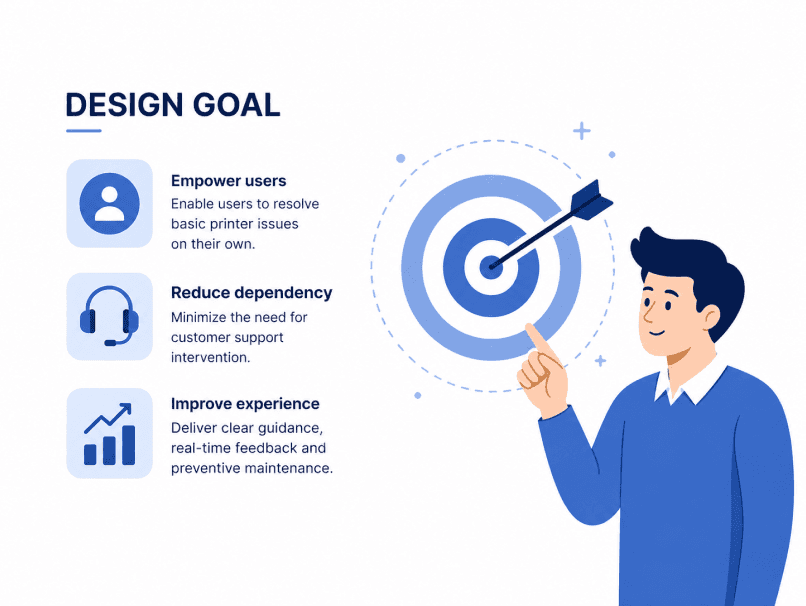
Design a seamless self-help printer interface that
proactively guides users through resolving basic printer
issues. like alignment errors and color inaccuracies—
without needing to contact support.
The solution should strike a balance between reducing
support center load and improving the end-user printing
experience through clear visuals, real-time feedback, and
preventative maintenance cues.
Provide an intuitive and easy-to-follow guide for users to
resolve basic issues on their own by following instructions
on screen.
Business Perspective
User Perspective
Design Goal
Priortized metrics
Meet The Team
Design Process
Problem Statement
User Metrics
Problem Statement
Business Metrics
Goals
Goals
My role in this big project as
UI/UX designer

Learnability

Task Completion rate

User
Satisfaction

Reduced Support calls

Reduced development costs
UI/UX LEAD
Me
India
PM
India
Benny Jose Chacko
RESEARCH
Durba
India
UX WRITER
Siva Gomathi
India
IX COUNTER PART
Roger Bartra
Spain
UX LEAD
Ravi Hegde
United States
SYS TECH LEAD
South Korea
Sun-Young Park
UI DEVELOPER
Shubham Pandey
South Korea
VX DESIGNER
Hanumantha
karlburgie
Singapore

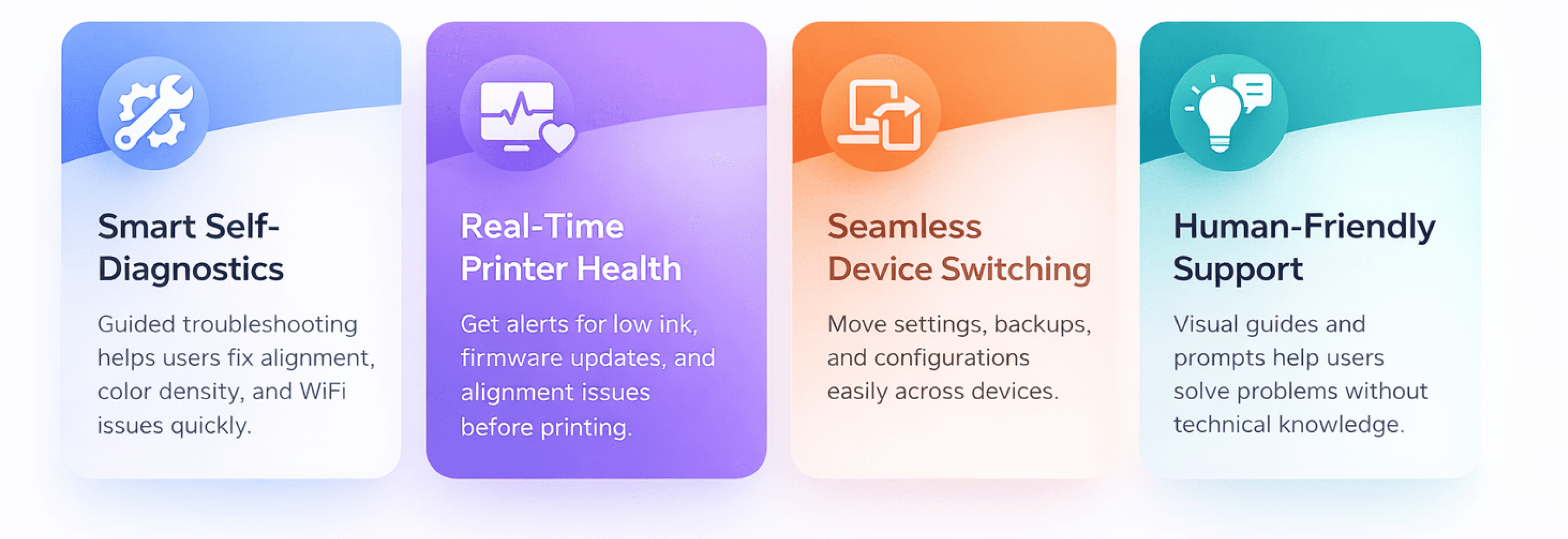
To address these challenges and user pain points,
we developed an entirely new application from the
ground up.
The designed solution gives 4 Superpowers to users
Smart features that make printing simpler, faster, and
more reliable for every user.
That Drive Impact at Scale
SUPPORT TOOLS
Introducing
Information Architecture

Many customers call to HP to resolve problems that
they could resolve on their own. Basic issues shouldn't
affect call rate as they do no affect hardware
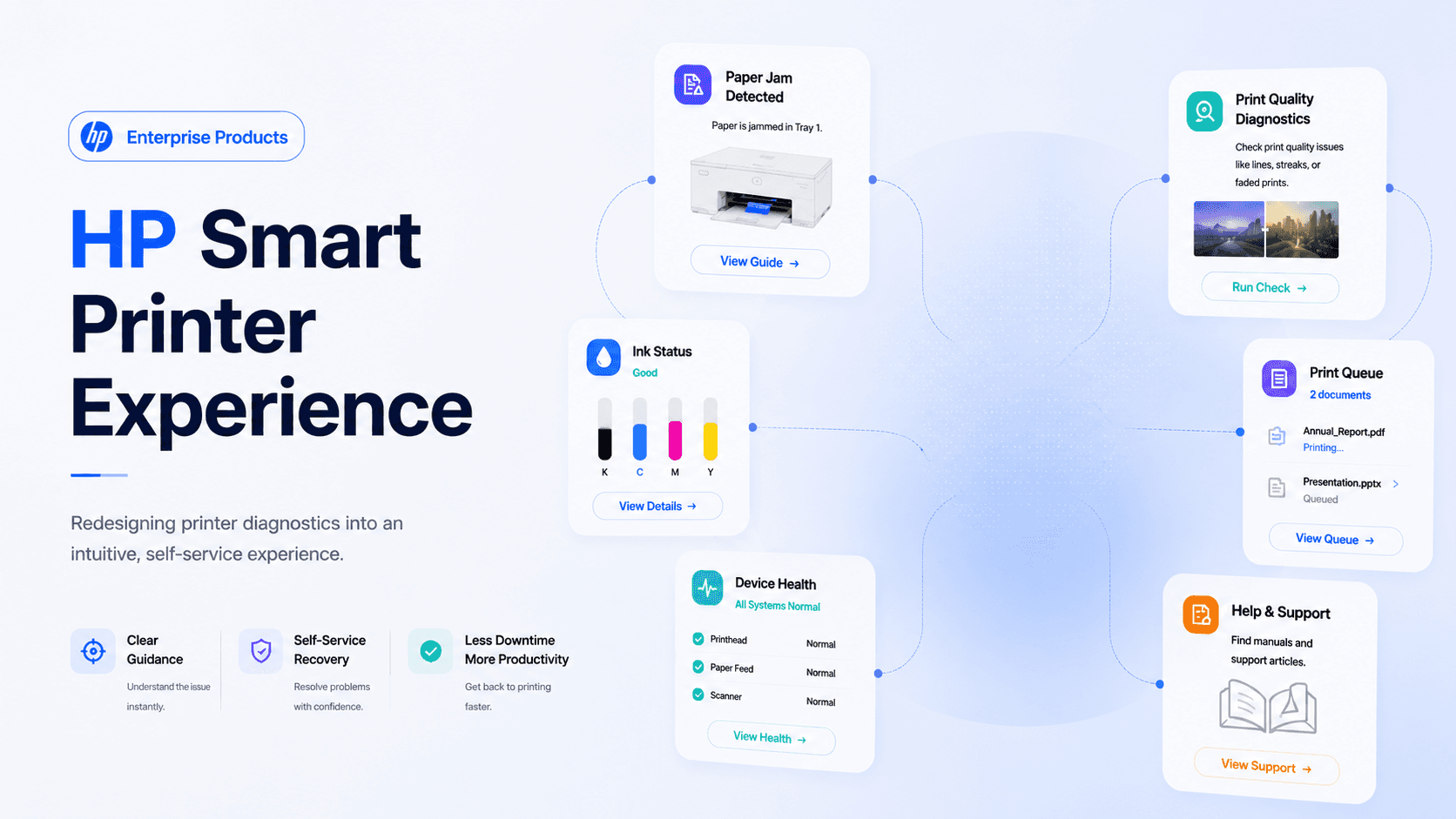

HP Smart
Printer
Experience
When a paper jam occurs, users often:
Don't know where the jam is.
Receive generic error messages.
Need to search manuals or support pages.
Become frustrated and abandon printing.

Detected Print Defects
Color Inconsistency
Banding
Misalignment
Current Print Output
HP Printer Error Recovery Experience


Redesigned Experience
"The redesigned flow provides contextual guidance, visual cues, and clear actions, enabling users to resolve paper jams confidently and independently."
Design Goals
Make the error understandable.
Show exactly where the jam is.
Provide step-by-step guidance.
Reduce user anxiety.
Enable quick recovery.
Corrected Print Output
Accurate Colors
Proper Alignment
Clean Print Quality
Enhanced Print Quality
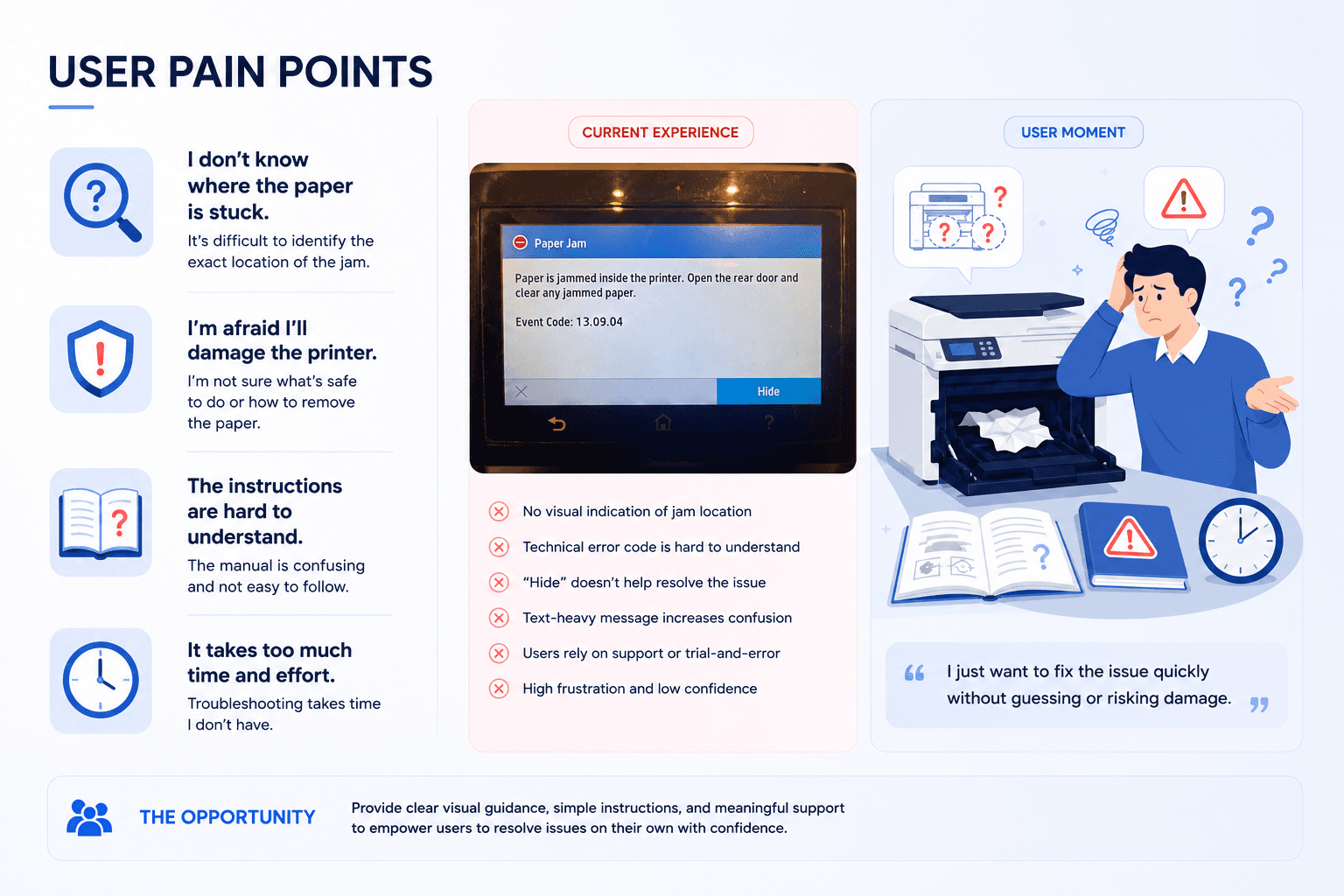
Existing Experience
"Users were presented with technical messages and lacked visual guidance, leading to confusion and increased support dependency."
No Visual Jam Location
Users don't know where the paper is stuck.
Current Screen

Technical Error Code
Error code 13.09.04 Users couldn't understand printer error codes.
No Status line